Pop Color: Coloring & Painting
- 3.6
- Rating
- 1.00M
- Installs
- Free
- Price
 Analysis by App-foxy
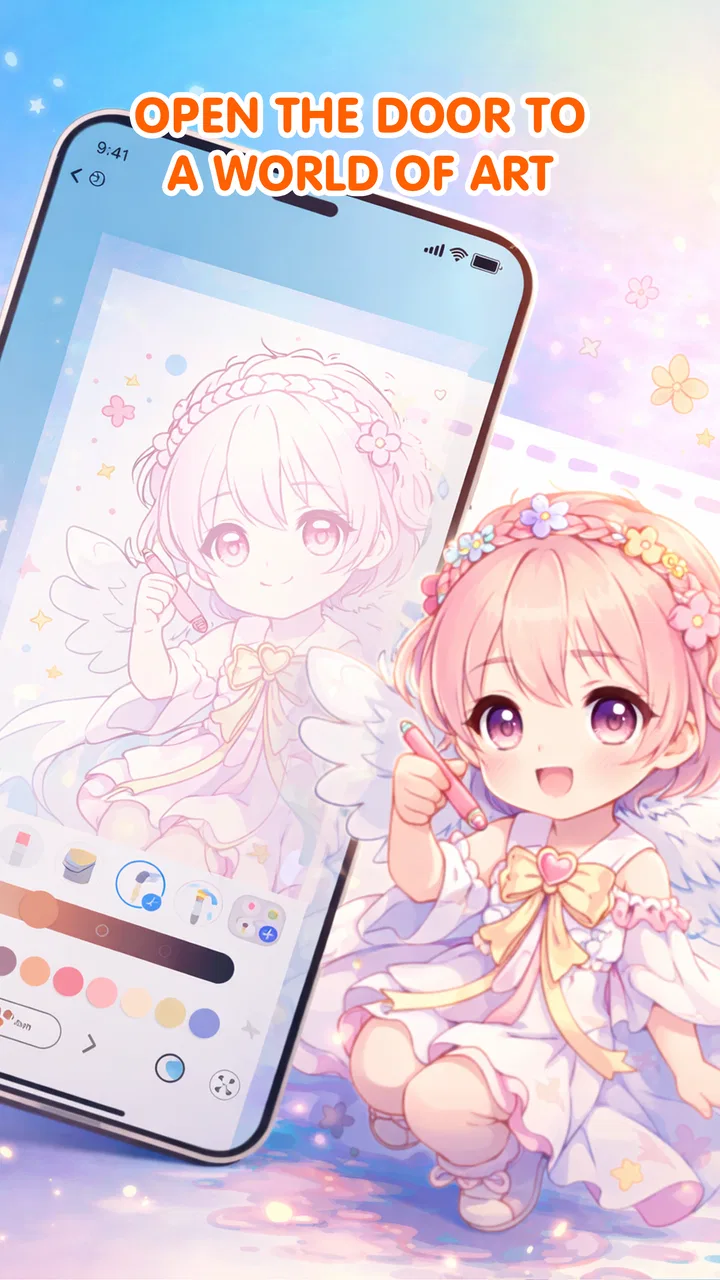
Pop Color: Coloring & Painting is the kind of art app I open when I want to make something without turning the moment into a serious project. It sits in the Art & Design category, comes from Dongbasiki, and focuses on coloring, painting, and drawing rather than teaching a formal technique. My overall impression is simple: it is most appealing as a low-pressure creative break, especially for people who enjoy guided coloring pages but still want room to experiment.
The free entry point makes it easy to try, and the Everyone age rating gives it a broad audience. At the same time, I would not mistake it for a complete digital art studio. Its strongest quality is approachability. Its main limitation is that a relaxed coloring experience will not satisfy someone looking for deep layer control, professional brushes, or a serious illustration workflow.
What using Pop Color feels like in practice
The first thing I noticed is how clearly the app is aimed at casual creativity. Instead of asking me to begin with a blank canvas and make every decision myself, it presents coloring and painting as activities I can pick up quickly. That distinction matters. A blank drawing app can feel intimidating after a long day, while a prepared coloring page gives me an immediate starting point.
You May Also Like

 Blood Strike: 2.5 Anniversary
Blood Strike’s Loadouts Turn Every Drop Into a Tactical Gamble
A close look at Blood Strike’s custom loadouts: how fast access to signature weapons reshapes its battle royale rhythm, rewards preparation, and narrows the gap between fights.

 Pandora - Music & Podcasts
Pandora’s Music Is Easy to Start, but Harder to Recover
Pandora’s strength is its low-effort path from a seed to a station. Its weak spot is how much confidence it asks you to place in connection, setup, and quiet recovery.

 8 Ball Pool
 Is Built on Rivalries, Rematches, and Routine
A close look at the rivalries, rematches, shared routines, and unanswered safety questions that turn a quick pool match into a persistent mobile community.

 Samsung Music
’s Quiet Strength Is Playing What You Already Own
Its reach comes less from spectacle than from dependable access to a personal library. That simplicity is both the app’s strongest retention engine and its ceiling.

 AccuWeather: Weather Radar
AccuWeather Review: A Quick, Clear Forecast for Everyday Decisions
For everyday plans, the best forecast is the one you can understand quickly. AccuWeather makes rain timing, radar, and local conditions easy to act on, with a few trade-offs.

 Hill Climb Racing
Why Hill Climb Racing Still Turns Crashes Into One More Run
A tiny car, a bumpy hill and one more upgrade: Hill Climb Racing keeps resurfacing because its simple chaos makes every near-miss feel personal.
More From Our News Desk



I found that useful in a very ordinary situation: after finishing work, I could spend a short break choosing colors and filling shapes without needing to plan a composition. The activity gave me something to focus on, but it did not demand the concentration of a full drawing session. For a commuter, a parent looking for a quiet shared activity, or anyone trying to replace a few minutes of aimless scrolling, that low barrier is the central attraction.
The app’s three-part identity—coloring, painting, and drawing—also gives it more flexibility than a narrowly focused coloring-page tool. Coloring is the easiest place to start, while painting and drawing suggest a more open-ended side for users who want to move beyond filling predefined areas. I like that progression because it lets a beginner begin with structure and decide later whether to become more experimental.
The best reason to use Pop Color is that it removes the pressure to be “good” at art. I can choose a palette based on mood rather than accuracy, try an unusual combination, and treat the result as a private exercise instead of a finished portfolio piece. That makes the experience suitable for both children and adults, although younger users may still need an adult to help with device settings and any purchase decisions.
A useful way to approach the coloring pages
I get better results when I decide on a small color idea before starting. For example, I might choose warm colors for the main areas and reserve one contrasting color for details. This prevents the page from becoming a random collection of taps, while still keeping the process relaxed. It is a small habit, but it turns the app into a simple exercise in visual balance.
Another practical approach is to use one session for experimentation and another for refinement. On the first pass, I test combinations without worrying about the final appearance. If I like the direction, I continue with a more consistent palette. This works particularly well in a guided coloring environment because the outlines provide structure while the color choices remain personal.
I also recommend using drawing or painting after completing a few guided pages, rather than beginning there if you are new to digital art. Starting with an open canvas can make the app feel less focused. Beginning with a defined image helps me understand how the controls respond and builds confidence before I try something less constrained.
Where it stands against familiar alternatives
Compared with a traditional coloring book, Pop Color is more convenient because I do not need physical supplies or a table. I can carry the activity on a phone or tablet and change direction immediately if a palette stops working. The trade-off is tactile: digital coloring cannot reproduce the feel of paper, pencil pressure, or the pleasure of seeing a page fill up in a physical book.
Compared with a professional illustration app, this is far less demanding. That is a strength for casual users, but a weakness for artists who need precise control. Someone creating commissioned artwork, studying detailed brush behavior, or building a layered illustration will probably be better served by a dedicated drawing application. Pop Color makes more sense when the goal is relaxation and accessible experimentation, not production work.
It also differs from a simple paint-by-number experience because its identity includes painting and drawing as well as coloring. That broader direction gives me more creative freedom, but it may feel less specialized to a person who wants only tightly guided, repetitive coloring. If the satisfaction comes entirely from following numbered sections with no extra decisions, a more focused coloring app may be a better match.
What works well, and where the experience needs patience
The clearest strength is the app’s welcoming tone. I do not need previous drawing knowledge to begin, and the subject matter is broad enough to make the experience approachable for different ages. The Everyone rating supports that positioning, although an age label should never replace a parent’s judgment about how a child uses a device or interacts with optional purchases.
I also appreciate the balance between structure and freedom. Guided pages can help when I have no idea what to draw, while painting and drawing give me a way to make the session feel more personal. That combination is more useful than a collection of static images because it supports two different moods: following a calm activity and making something less predictable.
The app is free to start, which lowers the risk of trying it. However, optional in-app items range from $4.99 to $19.99 each. That is the point where I would slow down and decide whether the extra content genuinely improves my routine. A free download can be perfectly reasonable, but families should understand that the experience may include paid choices rather than assuming every part is included without cost.
My biggest reservation is that the broad promise can create different expectations. A beginner may see coloring, painting, and drawing as three equally developed creative tools, while a more experienced artist may expect the depth of a specialized editor. I would approach it as a casual art space first. That expectation makes its simplicity feel intentional instead of disappointing.
There is also a practical trade-off between convenience and precision. Coloring on a phone is easy to do almost anywhere, but a smaller screen can make detailed work less comfortable. A tablet or a larger display would likely suit longer sessions better, while a phone remains ideal for quick breaks. I would not choose it as my main tool for intricate artwork if screen space and fine control were priorities.
Small workflow choices that improve the experience
I found it helpful to separate “relaxation sessions” from “creative sessions.” During a relaxation session, I choose a page and follow instinct, stopping when the activity no longer feels calming. During a creative session, I deliberately test a limited palette, compare warm and cool combinations, and use the drawing or painting side to make a more personal result. Keeping those goals separate prevents me from judging a quick coloring break as though it were a finished illustration.
For shared use, I would set a simple rule before handing the device to a child: explore freely, but ask before selecting anything that costs money. That conversation is more useful than treating the app as automatically child-proof simply because its content rating is Everyone. It also turns the activity into a chance to discuss color choices and creative decisions rather than just handing over a screen.
If you are using the app to unwind, I suggest avoiding perfectionism. The most enjoyable pages are not necessarily the most technically polished ones. I get more from choosing colors quickly and accepting unexpected combinations than from repeatedly correcting every small decision. The app works best when I treat the result as part of the moment, not as a test.
For a more focused art habit, I would use Pop Color as a warm-up. I can spend a few minutes filling a guided design, then move to a more advanced drawing tool if I want detailed work. In that role, it complements a professional app rather than competing with one. The guided start helps me overcome the blank-page problem, while the other tool handles the precision that Pop Color is not designed to provide.
Who should choose it, and who should look elsewhere
I would recommend it to casual creators, families seeking an accessible art activity, and adults who want a quiet way to reset their attention. It is especially suitable for someone who enjoys coloring but does not want to buy and store physical materials. Beginners may also appreciate having a gentle route from predefined pages toward more open drawing and painting.
It is less suitable for a professional illustrator, a student who needs structured lessons, or anyone whose priority is advanced editing control. I would also hesitate to recommend it to someone who dislikes optional purchases on principle, because the presence of paid items can affect how freely they want to explore the catalog. In those cases, a fully open drawing tool or a physical coloring book may be a better fit.
The current version is 1.0.3, and the app runs on Android 8.0 or newer. That makes the compatibility requirement fairly approachable for many Android users, but I would still check the device before planning to use it on an older phone or tablet. Installation size and performance are not the only practical concerns; screen comfort matters just as much for an art app, particularly during longer sessions.
Dongbasiki has positioned this as an accessible creative app rather than an expert workstation. That explains why its appeal is less about technical sophistication and more about immediate usability. The average rating is 3.9 from around a thousand ratings, with roughly thirty written reviews, while the app has passed a million installs. Those figures suggest meaningful interest, but I would treat them as context rather than proof that it will suit every artistic preference.
My final recommendation
After spending time with Pop Color: Coloring & Painting, I see it as a friendly digital coloring companion with enough range to keep the activity from feeling completely one-dimensional. It succeeds when I want a simple creative task, a screen-based alternative to a coloring book, or an easy starting point before trying more personal drawing. The free access is helpful, and the broad age rating makes it approachable for shared use.
Its limits are equally clear. The app is not the right replacement for a serious illustration suite, and the paid items mean I would review each purchase carefully instead of assuming that every option belongs to the free experience. Users who need professional precision, formal instruction, or a completely tactile activity should choose something else.
For me, the deciding question is not whether it can replace every other art tool. It cannot, and it does not need to. The better question is whether I want a low-pressure way to make color and drawing part of an ordinary day. If the answer is yes, Pop Color is worth trying, particularly for beginners and relaxed creative sessions. My recommendation is to start free, use it as a short daily art break, and move to a specialized app only when your goals become more demanding.
FAQs for Pop Color: Coloring & Painting
01What features does Pop Color: Coloring & Painting offer?
Pop Color: Coloring & Painting provides a wide array of features including a diverse selection of coloring pages, various tools like brushes and gradients, and an easy-to-use interface. Additionally, it offers a relaxing music background and the ability to save or share your creations. This app caters to both beginners and experienced artists.
02Is Pop Color: Coloring & Painting suitable for children?
Yes, Pop Color is designed to be family-friendly and includes content appropriate for children. The app has a simple interface and easy navigation, making it suitable for kids. Parental controls and guided tutorials are also available to ensure a safe and educational experience for young users.
03Does Pop Color: Coloring & Painting require an internet connection to function?
Pop Color: Coloring & Painting can be used offline, allowing you to enjoy most of its features without an internet connection. However, to access certain content such as new coloring pages or updates, an internet connection might be necessary. This makes it convenient for use on the go.
04Are there in-app purchases in Pop Color: Coloring & Painting?
Yes, Pop Color offers in-app purchases which include premium coloring pages, additional tools, and ad-free experiences. While the basic version of the app is free, these optional purchases enhance the user experience by unlocking more features and content for avid coloring enthusiasts.
05How does Pop Color: Coloring & Painting support creativity and relaxation?
Pop Color is designed to promote creativity and relaxation through its engaging and therapeutic coloring activities. With a variety of colors, designs, and the option to listen to calming music, the app provides a serene environment that encourages users to express themselves artistically and unwind from daily stress.
Pros
- User-friendly interface for all ages.
- Wide variety of coloring templates available.
- Offline mode for coloring without internet.
- Relaxing background music enhances experience.
- Supports multiple languages for global users.
Cons
- Limited free templates; many require purchase.
- Occasional ads interrupt the coloring process.
- No option to create custom templates.
- Requires significant storage space on device.
- Some features only available with premium.

Pop Color: Coloring & Painting
Gallery